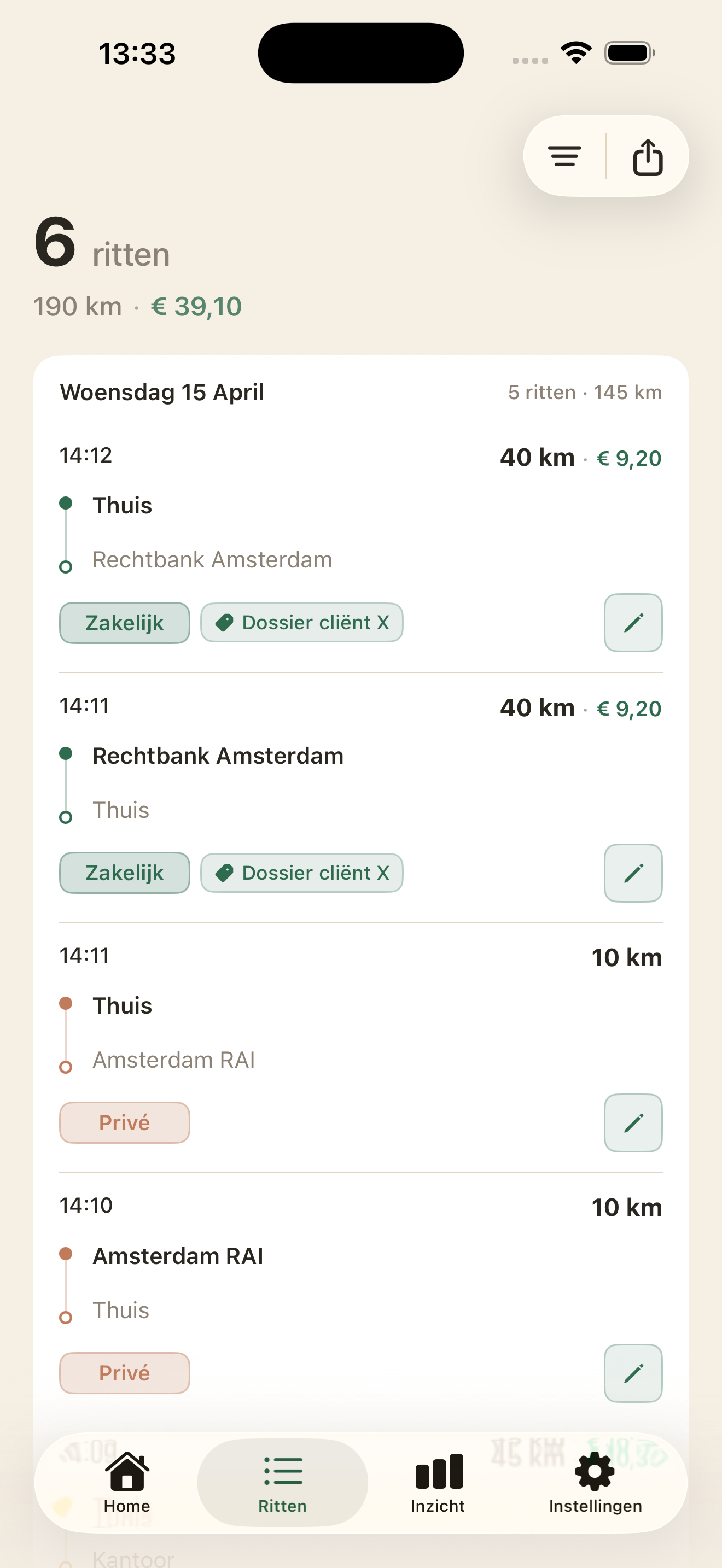
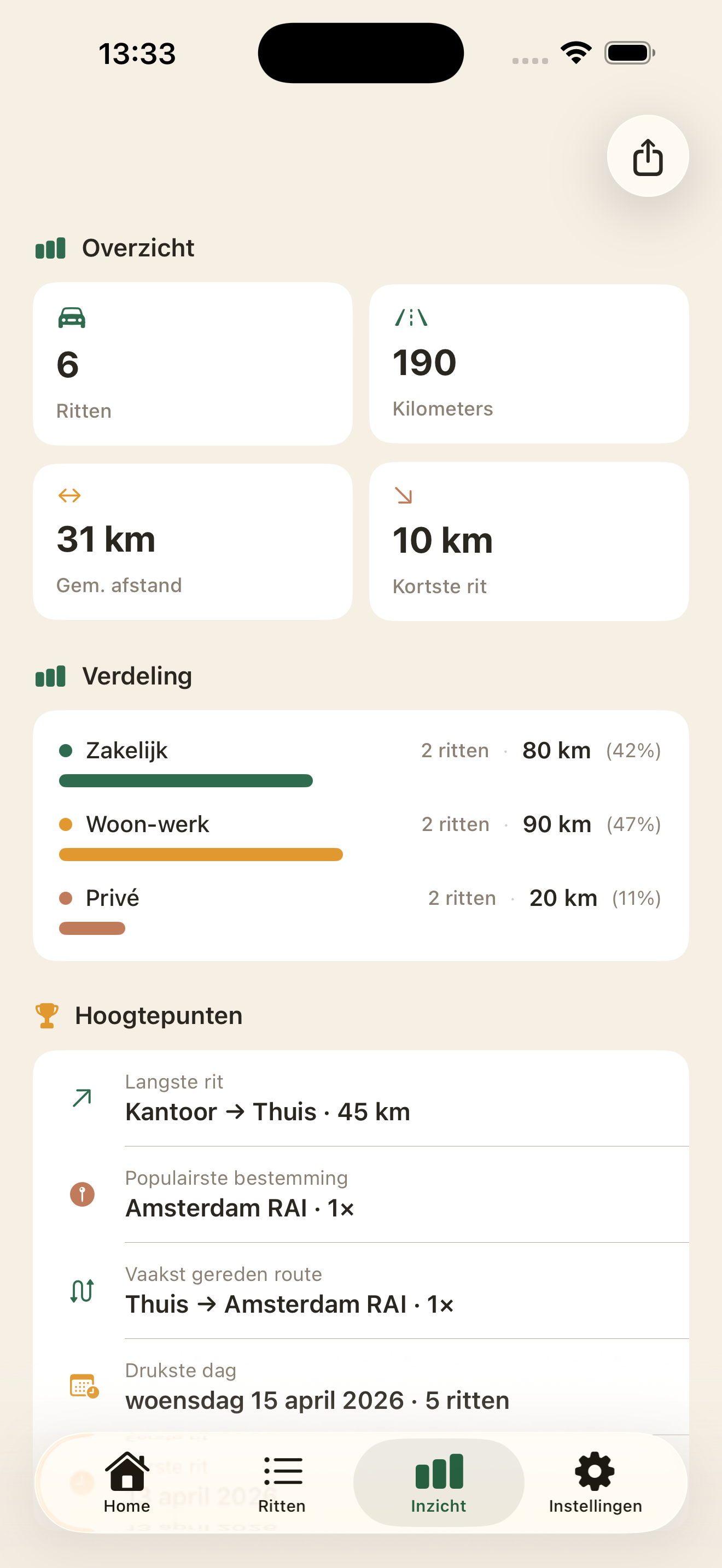
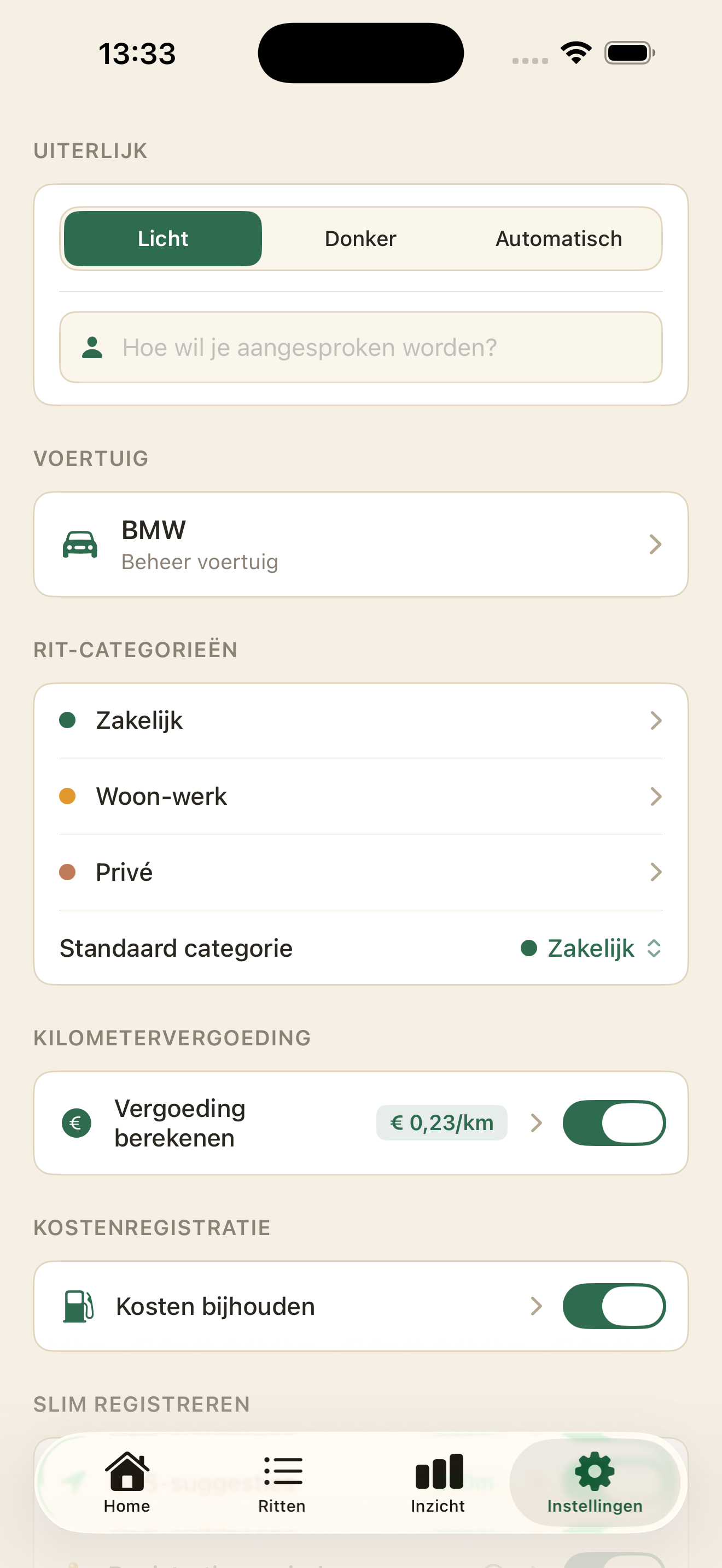
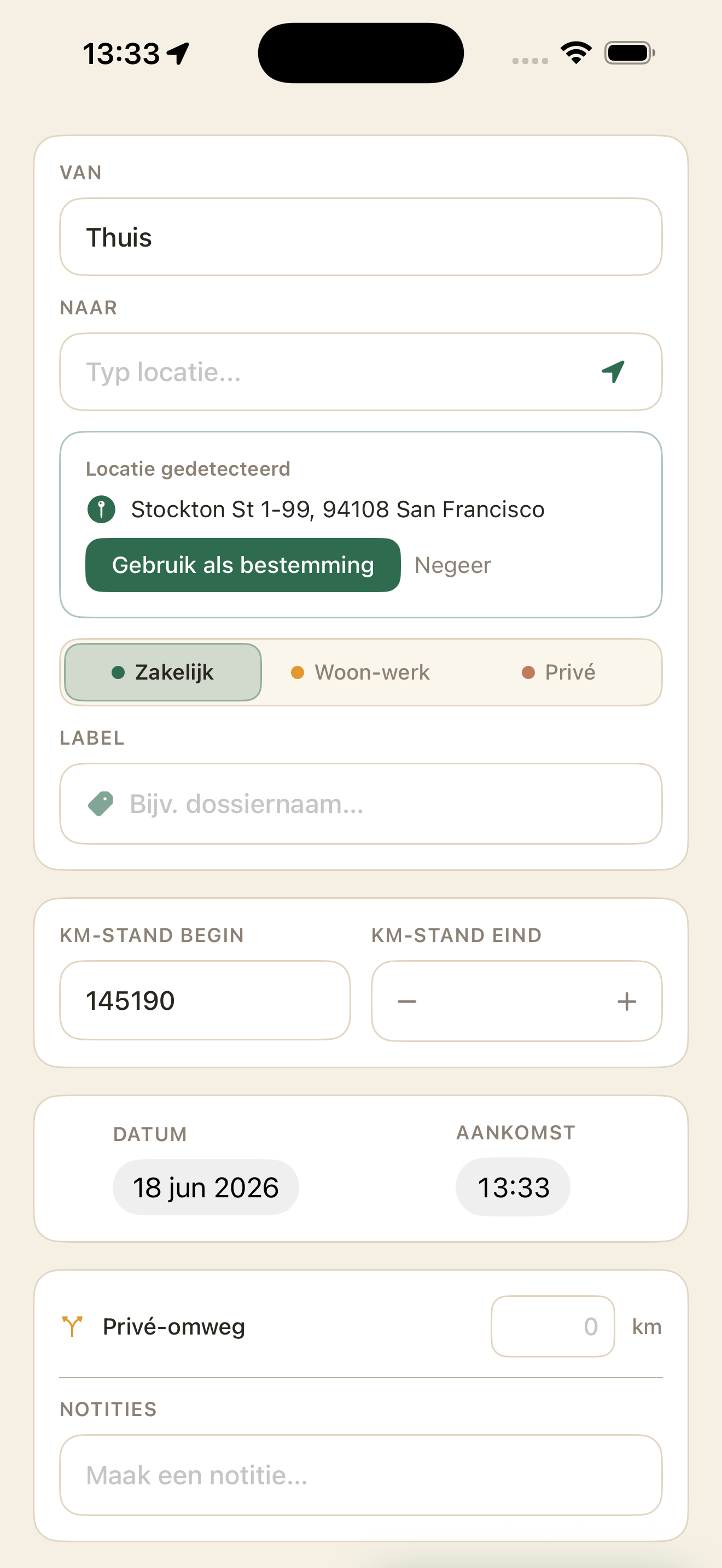
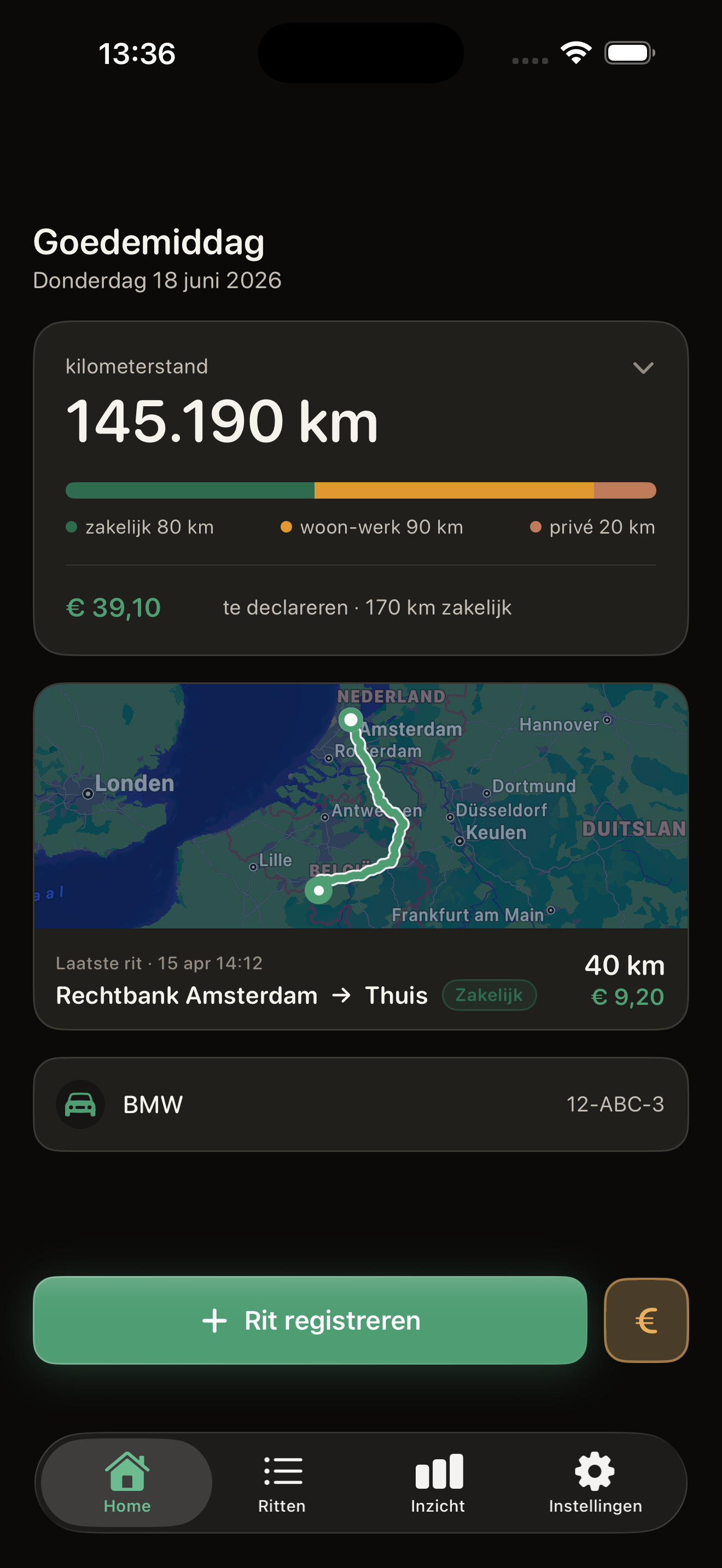
RitLog logs your business and personal kilometers, calculates costs and exports everything for your bookkeeping. With smart reminders, you'll never forget a trip again.
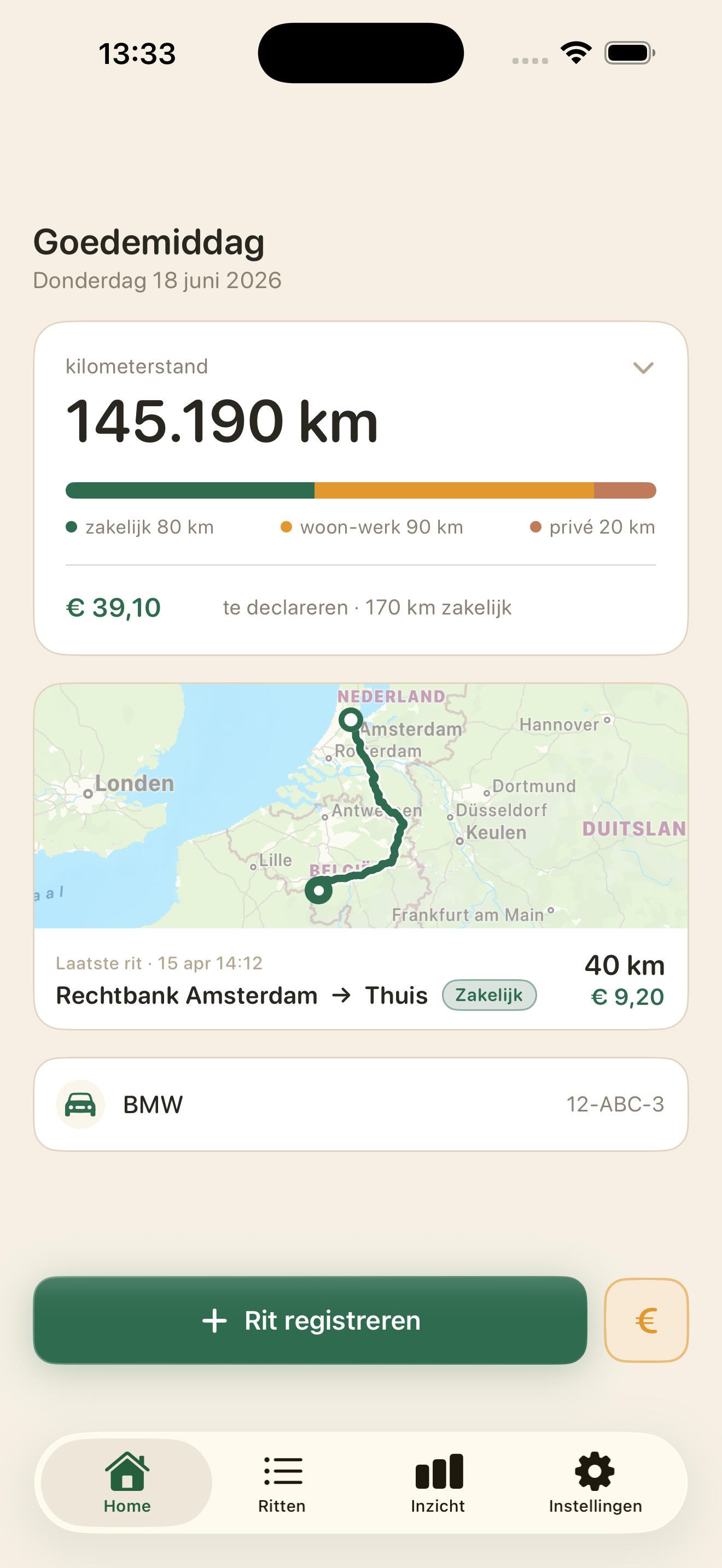
RitLog combines trip logging, cost tracking and tax reporting in one clear app.
Geofencing detects when you arrive at a location and reminds you to log your trip.
Automatically calculates the distance between your start and destination.
Log fuel, maintenance and other vehicle costs. Instantly see your total cost per kilometer.
Export your trips as CSV or PDF, filtered by category and period. Ready for your accountant.
Create your own colour-coded categories. Label trips with tags for extra clarity.
All your data stays on your iPhone. No account, no cloud, no tracking. Your data is yours.
Log your business bike trips too — by distance instead of odometer reading. Unique among mileage tracking apps.
See your odometer reading and claimable kilometers at a glance — and log a trip with a single tap, without opening the app.
A warm, calm design that adapts automatically to your iPhone's light or dark mode.
Last updated: 11 April 2026
RitLog is an iOS app for trip logging and vehicle cost management. We take our users' privacy seriously. This privacy policy explains which data the app processes and how it is handled.
RitLog processes the following data that you enter yourself:
With your permission, RitLog can use the location services on your device for:
Location data is processed solely on your device and is never sent to external servers.
With your permission, RitLog can use the motion sensors (CoreMotion) to determine whether you are travelling by car, bike or on foot. This is used solely to avoid unnecessary reminders when you are not driving. This data is not stored and not shared.
All data is stored solely on your device. RitLog has no servers and sends no data to external parties.
RitLog lets you export your data as a CSV or PDF file. You decide where you save these files (for example in iCloud, by email, or any other storage service you choose). RitLog has no access to or control over where you store your exports.
RitLog does not use:
RitLog offers the option to import address details from your contacts as a location. This happens solely on your device. Contact details are not copied, stored outside the app, or shared with third parties.
Because all data stays on your device, you have full control:
RitLog is not aimed at children under 16 and does not knowingly collect data from children.
This privacy policy may be updated. Changes will be published on this page with a revised date.
Do you have questions about this privacy policy? Get in touch with us at:
Email: support@ritlog.com
Website: ritlog.com
RitLog — Everything you want to know
Tap the "Log trip" button at the bottom of the screen. Enter the start and destination, distance and category. Where possible, RitLog fills in details automatically based on earlier trips.
Yes. Tap a trip in the overview to edit it. You can change all details, including locations, distance, category and driving times.
Categories let you mark whether a trip is business or personal, or any other category you choose. You can create your own categories, name them and assign a colour. This makes it easy to filter and export your trips.
RitLog learns from your trip history. If you drive the same route with the same category more often, that category is suggested automatically for a new trip on the same route.
It indicates that the odometer reading for this trip doesn't match the previous trip. This makes it easy to spot missing trips.
You can enter a departure and arrival time for a trip. If you change the arrival time, the departure time is recalculated automatically based on the estimated travel time, and vice versa.
Yes. In the trip overview you can filter by category and time period. The filters reset automatically when you switch to another tab.
Go to Locations in the settings and tap the plus button. You can enter a name, address and category. RitLog uses these locations to fill in trips faster.
Yes. Using the import feature you can bring addresses from your contacts into RitLog as locations.
Location categories help you organise your locations (e.g. "Client", "Office"). They are also used for automatic suggestions when logging trips.
RitLog can send you a reminder to log a trip when you arrive at or leave a saved location. This works automatically in the background.
The reminders work based on your GPS location. Because GPS isn't always 100% accurate, you may sometimes get a reminder while just driving past, or no reminder on arrival. In practice it works well in most cases, but it isn't flawless.
No. RitLog tries to detect whether you're cycling or walking and won't send a reminder in that case. This works in most situations, but isn't always guaranteed.
At most once every 12 hours per location. If you've already logged a trip for that location, you won't get another reminder.
You can log refuelling (or charging for electric cars) and other vehicle costs. For other costs you can choose your own label, such as "Insurance", "Maintenance" or "Road tax".
Tap the euro button at the bottom of the screen and choose "Refuel". Enter the amount and date. For an electric car, the "Filled up completely" option is hidden automatically.
Yes. Go to the cost overview (reachable via the cost row on the home screen). Tap a cost entry to edit it, or swipe left to delete it.
Yes. In the settings you can choose whether to see all costs, or only refuelling/charging. This carries through to the home screen, the statistics and the PDF export.
For each trip you can enter the odometer reading. RitLog suggests one automatically based on your previous trip. If the reading doesn't match, you'll get a warning.
No, it's optional. But it helps keep accurate records and makes it easier to spot missing trips.
You set a rate per kilometer in the settings. RitLog automatically calculates the allowance per trip and shows the total in the statistics and exports.
You can set your working days and hours. RitLog uses this to automatically suggest a category for new trips. If you drive during working hours, "Business" is suggested, for example.
The statistics screen shows an overview with a breakdown per category (including number of trips), highlights, trips per weekday, kilometers per month, mileage allowance and vehicle costs. The display adapts based on your cost setting.
You can export your trips as a CSV file (for spreadsheets) or as a PDF report. The PDF matches exactly what you see in the statistics.
Yes. When exporting you can filter by category, period and labels. That way you export exactly the data you need, for example for your accountant.
RitLog automatically creates a backup of your trips as a CSV file every quarter. This file is kept on your device.
Yes. In the settings you can set a weekly or monthly reminder to export your trips.
You can set your vehicle's name, license plate and fuel type (petrol, diesel, LPG, electric or hybrid).
When you first use the app you go through three short steps: a welcome screen, adding your first locations, and setting up automatic reminders. You can also skip these steps.
No, RitLog is currently only available for iPhone (iOS).
No. All your data is stored locally on your iPhone. Read our privacy policy for more information.
Need help with RitLog? We're happy to help.
Have a question, problem or suggestion? Send an email to:
We aim to respond within two business days.
Browse the frequently asked questions — there you'll find answers to the most common questions about RitLog.